
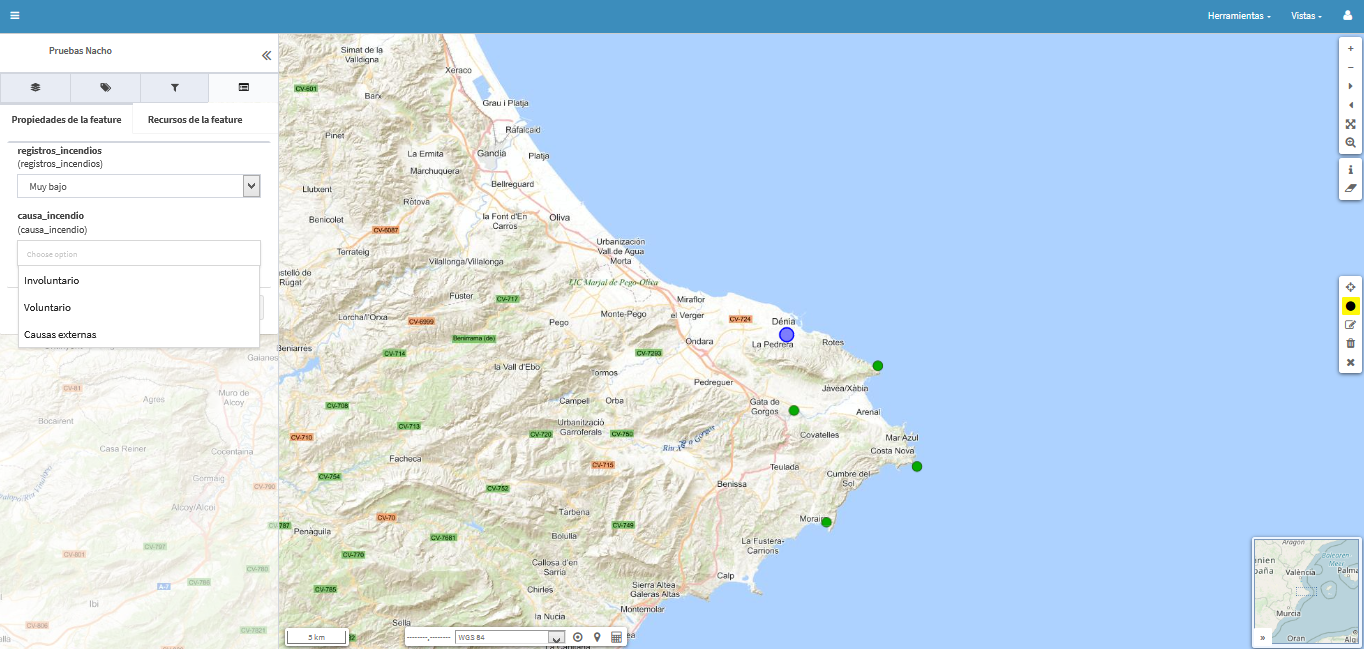
Among the many tools available to gvSIG Online users, there are those related to enumerations. These types of functionalities are extremely useful for data maintenance, as they allow us to define the possible values for a field. They become even more useful when using gvSIG Mapps integrated with gvSIG Online, as when capturing or updating information using the mobile application, these fields will display dropdown menus for easily selecting the corresponding value for each recorded element.
Enumeration lists can be added, modified, or deleted from the administration area of gvSIG Online. We can create a list from scratch or instruct gvSIG Online to automatically generate it based on the unique values available in that field. Interesting, right?
Once an enumeration is created, we can also assign it to other fields in other layers. Even more interesting, isn’t it?
When editing a published layer in a project, these fields will display a dropdown menu with the elements that make up the list, and one of them can be selected to assign it as an attribute of a map element, if it is of type “enumeration,” or multiple elements if it is of type “multiple enumeration.”
And, as we mentioned earlier, in gvSIG Mapps, we would automatically have our dropdown menus ready to facilitate data collection in the field.


 Alvaro
 Amparo Cisneros
 adelrey
 Alegria
 asoredesocial2006
 Augusta
 christinesig
 cordin
 csanper
 danielvicb
 dispiste
 edmarmoretti
 elenasanchez232
 eliazerk
 fjsolis
 Gabi
Gabi ggowtham
 Giuliano Ramat
 Valenty
 Georg Sedlmeir
 hydrologiclady
 jgalans
 Joaquin del Cerro
 Juan Lucas Domínguez Rubio
 jolicar
 josebadia
 Jorge Piera Llodrá
 Jordi Torres
 Chevi
Chevi learozz
 leoruizb
 Alonso Morilla
 Lluís Marqués
 martapacoret
 Óscar Martínez
 mateoboudon
 mateocb16000
 Mario
Mario Mario Chaveli
 mjlobato76
 Manuel
 mmontesinos
 moovida
 Nacho Varela
 nbrodin
 André
André piotrpachol
 psanxiao
 Sergio Acosta y Lara
 Spatioblog
 Sergio Acosta y Lara
 uliwerz
 Victor Acevedo
 Viqui
Viqui volaya


Pingback: Working with Enumerations in #gvSIG Online (and #gvSIG Mapps) – GeoNe.ws