
If we have an attribute table in gvSIG we can obtain the number of registers for each different value of a field, how many times they are repeated.
For that we will have to create a new script in gvSIG, from the Tools->Scripting->Scripting Composer menu.
Once it is created, naming it as we want, we copy this source code on it:
from gvsig import *
import commonsdialog
from org.gvsig.andami import Utilities
import os, time

from gvsig import *

from org.gvsig.app.project.documents.table import TableManager

def loadTable(format, **parameters):

    try:
        application = ApplicationLocator.getManager()
        datamanager =  application.getDataManager()

        # Loding the data store
        store_parameters = datamanager.createStoreParameters(format)
        copyToDynObject(parameters, store_parameters)
        store = datamanager.openStore(format, store_parameters)

        # Creating a Table document and initialize with the data store
        project = currentProject()
        table = project().createDocument(TableManager.TYPENAME)
        table.setStore(store)
        table.setName(store.getName())

        # Add the Table document to the project
        project().addDocument(table)

    except Throwable, ex:
        raise RuntimeException("Can't load table, "+ str(ex))

    return table

def loadDBF(dbffile):
  table = loadTable(format="DBF",DbfFile=dbffile)
  return table


def getTempFile(name, ext):
    tempdir = Utilities.TEMPDIRECTORYPATH
    if not os.path.isdir(tempdir):
      os.makedirs(tempdir)
    t = time.time()
    f = os.path.join(
      tempdir,
      "%s-%x%x%s" % (name,t,(t-int(t)) * 10000,ext)
    )
    return f

def main(*args):
    print "Count values"
    table = currentTable()
    field = str(commonsdialog.inputbox("Name of the field"))
    try:
        features = table.features()
    except:
        commonsdialog.msgbox("Table not opened")
    count = dict()
    for f in features:
        ff = str(f.get(field))
        if ff in count.keys():
            count[ff] += 1
        else:
            count[ff] = 1
    print count
    sch = createSchema()
    sch.append('ID','STRING',15)
    sch.append('COUNT','INTEGER',20)
    dbf = createDBF(sch, getTempFile("count"+field,".dbf"))
    print type(dbf())
    print "full name: ", dbf.getFullName()
    #Insert table data

    dbf.edit()
    for k,v in count.iteritems():
      f = dbf.createNewFeature()
      f.set('ID',k)
      f.set('COUNT',v)
      dbf.insert(f)

    dbf.commit()

    d = loadDBF( dbf.getFullName())
    print dbf.getFullName()
    return
Finally we save the script.
Then from the View in gvSIG we put the layer that we want to use for the calculation active, and we open its attribute table. After that, we open the Scripting Launcher (Tools->Scripting->Scripting Launcher menu).
Double-clicking on the script that we had created, a new window will be opened, where we have to write the name of the field over which we can apply the counter. After accepting a new table will be created with the results. We will open the Project Manager (from Show menu), and we will have the new table at the “Table” document.
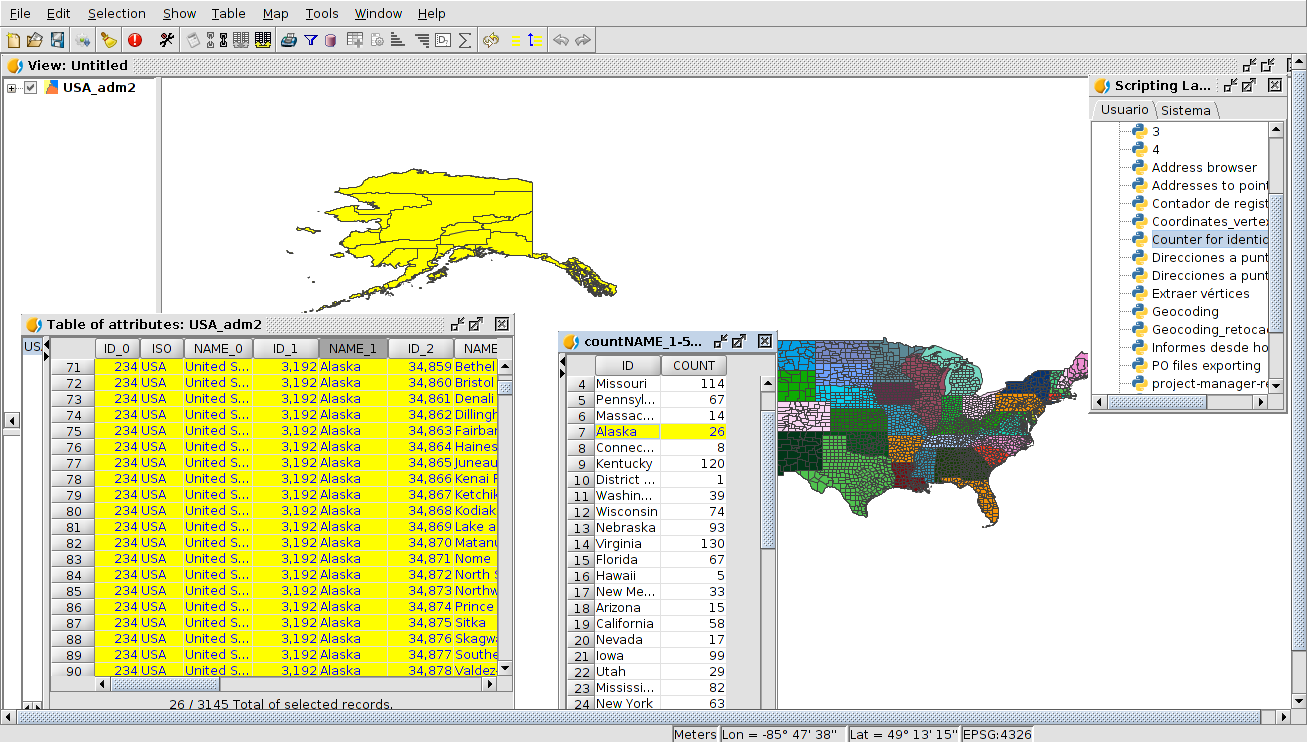
That table is a temporary element, so we will have to export it to a dbf file in order to have it on disk (Table->Export to menu).


 Alvaro
 Amparo Cisneros
 adelrey
 Alegria
 asoredesocial2006
 Augusta
 christinesig
 cordin
 csanper
 danielvicb
 dispiste
 edmarmoretti
 elenasanchez232
 eliazerk
 fjsolis
 Gabi
Gabi ggowtham
 Giuliano Ramat
 Valenty
 Georg Sedlmeir
 hydrologiclady
 jgalans
 Joaquin del Cerro
 Juan Lucas Domínguez Rubio
 jolicar
 josebadia
 Jorge Piera Llodrá
 Jordi Torres
 Chevi
Chevi learozz
 leoruizb
 Alonso Morilla
 Lluís Marqués
 martapacoret
 Óscar Martínez
 mateoboudon
 Mario
Mario Mario Chaveli
 mjlobato76
 Manuel
 mmontesinos
 moovida
 Nacho Varela
 nbrodin
 André
André piotrpachol
 psanxiao
 Sergio Acosta y Lara
 Spatioblog
 Sergio Acosta y Lara
 uliwerz
 Victor Acevedo
 Viqui
Viqui volaya

 gvSIG blog