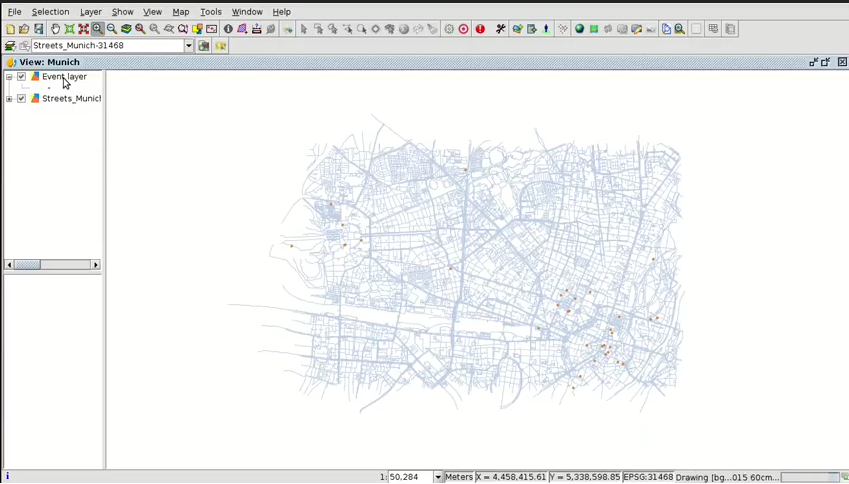
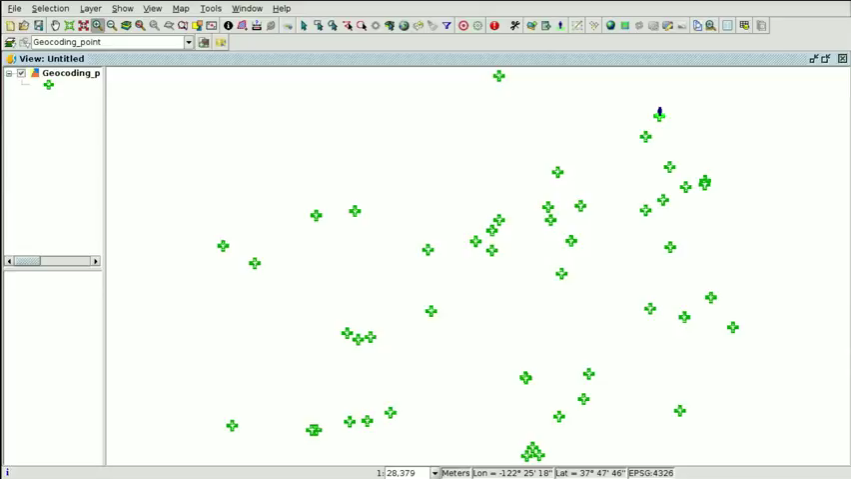
The first video of the eighth module is now available, in which we will show how to create point layers from a table. In this first case we will speak about geocoding, creating a point shapefile from a table with addresses.
Apart from addresses, that table could also contain characteristic elements such as museums, monuments, sports facilities…, that is, any place that we could find in search engines such as Google Maps, OpenStreetMap…, since it uses these search engines to create that layer.
This functionality is very useful in a municipality because if we have for example several tables with these type of elements or their addresses, we wouldn’t have to digitalize one by one. Thanks to this geoprocess we can do it automatically, and we would only have to tackle a quality control phase at the end to check that the results are correct (since as we know, these search engines also have certain errors). Besides, we can indicate that the geoprocess shows us which elements or addresses haven’t been found, in order to digitalize them in another way.
We will also show how to access to Google Street View from gvSIG, very interesting for office work, for certain queries that would avoid us to have to go to that place in person.
 The cartography to follow this video can be downloaded from this link.
Continue reading →

 Con la publicación de este nuevo build os animamos a que lo probéis y a que nos reportéis los posibles errores y sugerencias que encontréis a través de la lista de usuarios.


 Alvaro
 Amparo Cisneros
 adelrey
 Alegria
 asoredesocial2006
 Augusta
 christinesig
 cordin
 csanper
 danielvicb
 dispiste
 edmarmoretti
 elenasanchez232
 eliazerk
 fjsolis
 Gabi
Gabi ggowtham
 Giuliano Ramat
 Valenty
 Georg Sedlmeir
 hydrologiclady
 jgalans
 Joaquin del Cerro
 Juan Lucas Domínguez Rubio
 jolicar
 josebadia
 Jorge Piera Llodrá
 Jordi Torres
 Chevi
Chevi learozz
 leoruizb
 Alonso Morilla
 Lluís Marqués
 martapacoret
 Óscar Martínez
 mateoboudon
 Mario
Mario Mario Chaveli
 mjlobato76
 Manuel
 mmontesinos
 moovida
 Nacho Varela
 nbrodin
 André
André piotrpachol
 psanxiao
 Sergio Acosta y Lara
 Spatioblog
 Sergio Acosta y Lara
 uliwerz
 Victor Acevedo
 Viqui
Viqui volaya

 gvSIG blog