I encuentro de Geobloggers. De qué hemos hablado…

Hoy se ha celebrado el I encuentro de Geobloggers, en el que he participado representando a este blog. Los ponentes teníamos 2 intervenciones, una para contestar una serie de preguntas predefinidas y otra para presentar a la organización -en nuestro caso la Asociación gvSIG-. Para los que no hayan podido asistir o seguir por streaming la charla, os dejo aquí el texto de mi intervención. Continue reading

Posted in gvSIG Desktop, spanish | 1 Comment

Learn GIS for free. Module 6: Geoprocessing

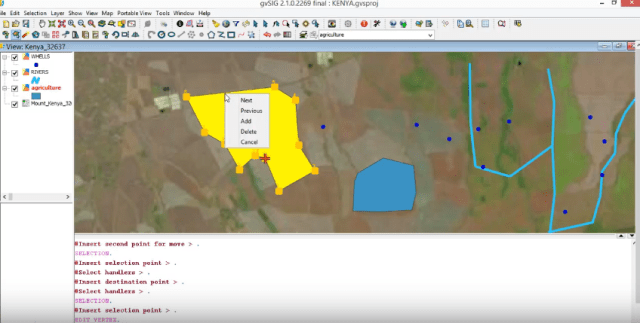
We continue with the sixth module of the free GIS course, where we are going to show you how to work with the framework and set of tools for processing geographic and related data in gvSIG Desktop. Continue reading

Posted in english, gvSIG Desktop, training | Tagged , , , | 10 Comments

Camino a gvSIG 2.4: Mayor funcionalidad usando gvpy desde Scripting

Como muchos ya conoceréis, gvpy es una librería que facilita la ejecución de geoprocesos desde scripting. De esta forma, es posible ejecutar geoprocesos de nuestra toolbox (incluido algunos que añadamos nosotros desde otros scripts) con una línea de código.

Para la nueva versión de gvSIG 2.4, se ha realizado un pequeño cambio en esta librería para gestionar objetos que antes no era posible capturar desde scripting. Por ejemplo, algunos geoprocesos como el de Perfiles, “profile”, tenían como salida una gráfica (un objeto creado por la librería jfreechart). Con esta nueva funcionalidad, es posible capturar este objeto, y procesarlo como si fuera otro más. Continue reading

Posted in development, gvSIG Desktop, scripting, spanish | Tagged | 3 Comments

Learn GIS for free. Module 5: Create and editing vectorial layers

We continue with the fifth module of the free GIS course, where we are going to show you how to create and editing vectorial layers.

Through three video-tutorials you will be able to learn to create point, line and polygon layers, and the varios commands you will need to edit your data. Continue reading

Posted in english, gvSIG Desktop, training | Tagged , , , | 9 Comments

Module 4: Working with Maps

We continue with the fourth module of the free GIS course, where we are going to show you how to work with Maps.

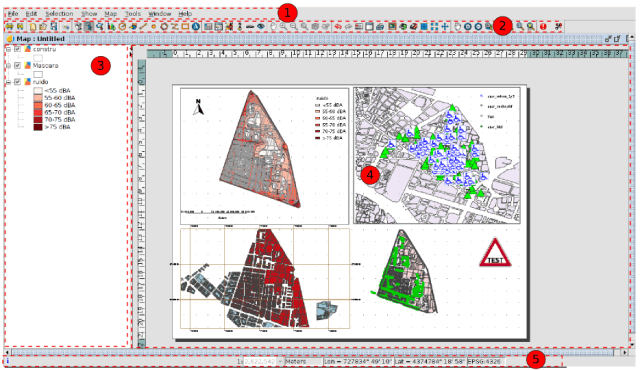
Through three video-tutorials you will be able to learn to work with Map documents, with tools for the insertion of cartographic elements, design tools,…. Continue reading

Posted in english, gvSIG Desktop, training | Tagged , , , | 13 Comments

Camino a gvSIG 2.4: Nuevos servicios de mapas de OSM

En la próxima versión de gvSIG Desktop encontraremos nuevos servicios de mapas/tiles de OpenStreetMap. Continue reading

Posted in gvSIG Desktop, spanish | Tagged , , , , , , , , , , | 2 Comments

Vídeo-tutorial para aprender a crear hiperenlaces con gvSIG Desktop

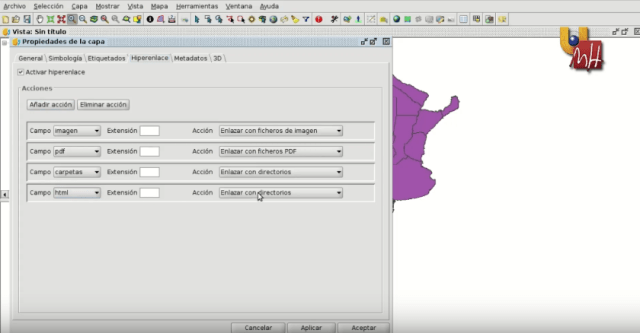
La UMH ha liberado un nuevo vídeo-tutorial realizado por la Asociación gvSIG para el Máster de Valoración, Catastro y Sistemas de Información Territorial. Mediante unos sencillos ejercicios prácticos (que podréis replicar ya que los datos utilizados están disponibles) podréis aprender a crear los distintos tipos de hiperenlaces disponibles en gvSIG, asociando elementos de una capa vectorial a imágenes, ficheros PDF, carpetas con documentación o páginas web.

Seguir leyendo…

Posted in gvSIG Desktop | Tagged , , , | 1 Comment

Camino a gvSIG 2.4: Configuración de tema de iconos

Esta utilidad -llamada “Icon theme configurator”- nos va a permitir crear juegos de iconos, de forma que podamos personalizar el aspecto de nuestro gvSIG Desktop, tal y como vimos cuando presentamos el nuevo juego de iconos que estará disponible en gvSIG 2.4.

Estas nuevas herramientas nos permitirán también crear un paquete con el tema de iconos creado, de forma que podamos compartirlo e instalarlo a través del ‘Administrador de complementos’. Continue reading

Posted in gvSIG Desktop, spanish | Tagged , , , | 4 Comments

Learning GIS with Game of Thrones (XIII): Geoprocessing

Geoprocessing is the execution of analytical and modelling operations of geographic data for creating new information. Creating a new layer with the overlapped areas from two different layers, a layer that creates buffers around the geometries of vector features, or a point density map are examples of geoprocessing.

gvSIG Desktop has more than 350 geoprocessing operations. There are many algorithms ready for use that would help us to analyze the spatial information. Continue reading

Posted in gvSIG Desktop | Leave a comment

gvSIG Batoví para Windows

Ya está disponible la versión de gvSIG Batoví para Windows.

Más información: gvSIG Batoví para Windows

Posted in gvSIG Desktop | Comments Off on gvSIG Batoví para Windows