
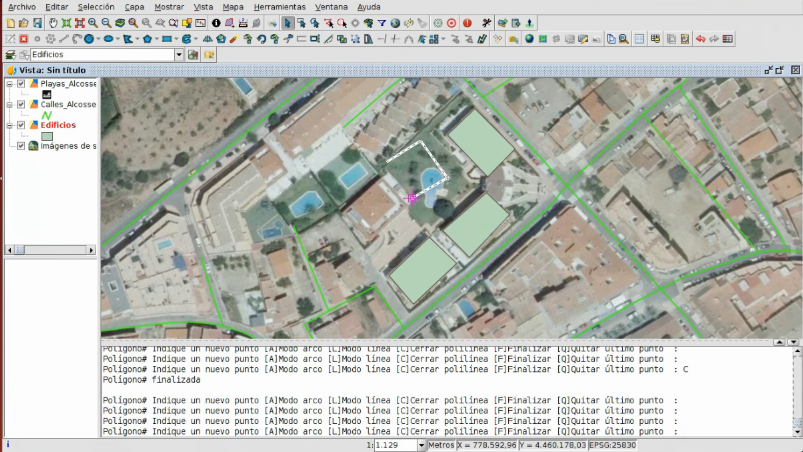
The first video of the seventh module is now available, in which we will see the editing tools in gvSIG.
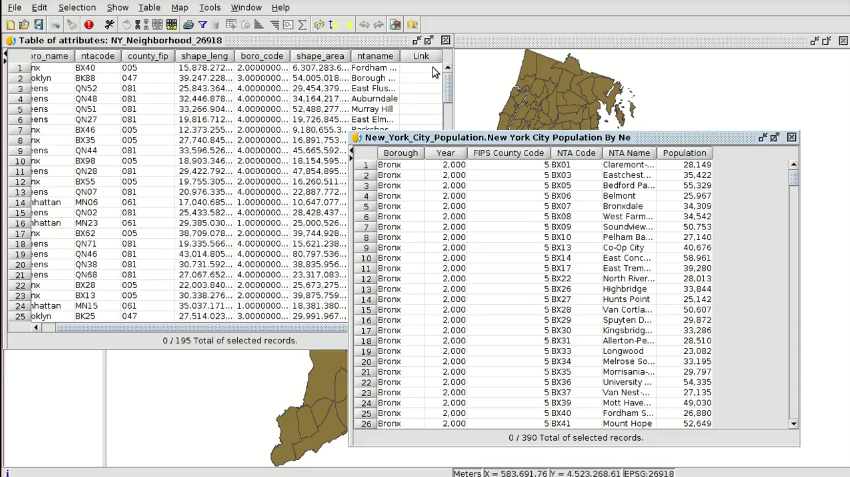
Editing is a very important part in a Geographic Information System, since it allows us to create new vector layers, digitize elements, add alphanumeric information to these geometries… This is what we will see in this first part of the module.
There are many tools available in the gvSIG editing module, and one of the main ones is the creation of new elements (points, lines, polygons …). Once they are created, we can rotate, scale or move them, we can create parallels, we also can lengthen or cut lines, join or split geometries, create autopolygons, etc.
We can digitize both with reference cartography, for example an orthophoto, and use the editing console to write the coordinates of the inserting point.




 Alvaro
 Amparo Cisneros
 adelrey
 Alegria
 asoredesocial2006
 Augusta
 christinesig
 cordin
 csanper
 danielvicb
 dispiste
 edmarmoretti
 elenasanchez232
 eliazerk
 fjsolis
 Gabi
Gabi ggowtham
 Giuliano Ramat
 Valenty
 Georg Sedlmeir
 hydrologiclady
 jgalans
 Joaquin del Cerro
 Juan Lucas Domínguez Rubio
 jolicar
 josebadia
 Jorge Piera Llodrá
 Jordi Torres
 Chevi
Chevi learozz
 leoruizb
 Alonso Morilla
 Lluís Marqués
 martapacoret
 Óscar Martínez
 mateoboudon
 Mario
Mario Mario Chaveli
 mjlobato76
 Manuel
 mmontesinos
 moovida
 Nacho Varela
 nbrodin
 André
André piotrpachol
 psanxiao
 Sergio Acosta y Lara
 Spatioblog
 Sergio Acosta y Lara
 uliwerz
 Victor Acevedo
 Viqui
Viqui volaya

 gvSIG blog